
Quick summary
What to do first
Install Naver Map before you land. In Korea, it is usually more reliable than Google Maps for local place search, walking routes, subway exits, bus details, and saved itinerary points.
Best next step: Test language settings, save your hotel, and search a few Korean place names before the first travel day.
Check before acting: English search quality can vary by place name, so keep Korean addresses from your hotel or booking app.
Fact and structure review: 2026-06-05.
Install Naver Map before you land
Google Maps can be useful for broad orientation in Korea, but it is often not enough for real travel decisions such as walking routes, subway exits, bus timing, restaurant location, and local place search. NAVER Map is one of the main local map tools used in Korea, and NAVER has published foreign visitor guides and multilingual support updates for English, Chinese, and Japanese users. For a first Korea trip, Naver Map should be installed before departure, not discovered after you get lost.
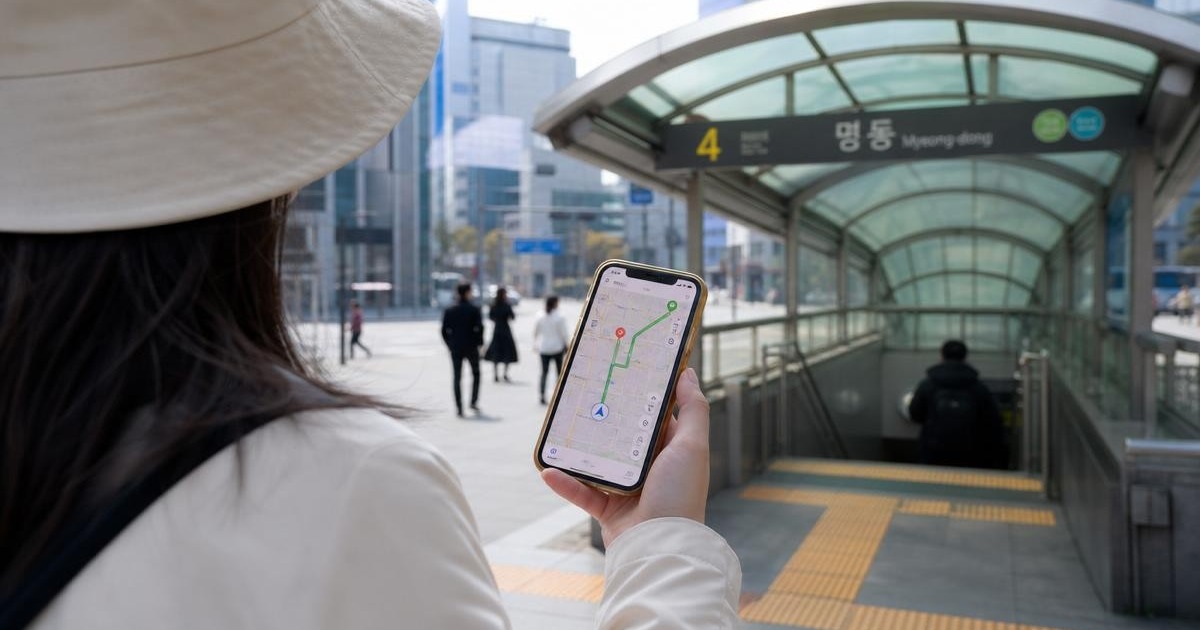
This guide is not about becoming a local map expert. It is about getting enough confidence to move through Seoul, Busan, Jeju, and regional cities without depending on screenshots from someone else's itinerary.
Set it up before travel
Install NAVER Map from the official app store.
Set the app language to English if available on your device.
Search for your hotel and save it.
Save the nearest subway station and at least one airport transfer stop.
Save key places in Korean if your English search results are weak.
Test one route: hotel to a palace, market, or station.
Why Korean names help
Popular landmarks are often searchable in English, but smaller restaurants, cafes, clinics, bus stops, and local shops may be easier to find by Korean name. Copy the Korean name from the official website, booking page, Instagram profile, or VisitKorea listing. Save both English and Korean versions in your notes. If search results look strange, paste the Korean name. This is one of the easiest ways to avoid picking a similarly named place in the wrong neighborhood.

Save the correct place, then compare your map with the street around you.
AI-assisted photo-based composite. Illustrative street-orientation scene, not a screenshot or current Naver Map interface. Background: Myeongdong street.jpg by Izzatfikry99 / Wikimedia Commons, CC BY 4.0. Cropped/reframed and edited with AI-generated character overlays; small background details may differ.
Use subway exits, not just stations
In Korea, the station is only half the route. The exit number can determine whether you walk 2 minutes or 15 minutes. Naver Map can help you identify the best exit and walking route. Before leaving a platform area, check the exit number. If you leave through the wrong exit at a large station such as Seoul Station, Gangnam, Hongdae, Jamsil, or Myeongdong, the mistake may add stairs, crossings, and unnecessary walking.
Use case | Naver Map habit | Why it helps |
|---|---|---|
Finding a hotel | Save hotel, station, and exit | Reduces arrival stress with luggage. |
Restaurant search | Try Korean name and neighborhood | Avoids wrong branches and duplicate names. |
Subway route | Check transfer and exit number | Prevents long station walks. |
Bus route | Confirm stop direction | Korean bus stops can be close together but serve opposite directions. |
Walking route | Check stairs and major roads | Useful with luggage or mobility limits. |
Save places by route, not by fantasy
Do not save 80 cafes and call it a plan. Create folders by day or district: Seoul Day 1, Myeongdong, Seongsu, Busan Coast, Jeju East. Save the places you may actually visit together. If your pins are spread across the city, they are inspiration, not an itinerary. A good Naver Map folder should show a route shape you can walk or transit through.
What can go wrong
English search can miss places. Some businesses close temporarily or change hours faster than travel articles update. Restaurant branches can share similar names. Subway transfers may look short but feel long with luggage. Bus routes can be efficient but harder for first-time visitors if the stop direction is confusing. Do not blindly follow the first route. Compare travel time, transfers, walking distance, and whether the destination is open.
Better backup habits
Keep hotel address in Korean and English.
Screenshot routes before entering underground stations.
Use Papago or another translation tool for Korean place names.
Cross-check official opening hours for museums, palaces, tours, and ticketed attractions.
Ask hotel staff to confirm the easiest station exit when you have luggage.
Naver Map vs KakaoMap vs Google Maps
Use Naver Map as your primary day-to-day map. Keep KakaoMap as a useful backup, especially if search results differ. Keep Google Maps for broad saved lists or international familiarity, but do not depend on it for Korea's detailed route planning. The best app is the one you tested before the trip. A traveler who knows one local map app well will move better than a traveler who downloads five apps at the airport.
Build your Korea navigation setup
Naver Map is one part of the travel-app stack. Use these related guides when you need to compare maps, plan routes, or connect map use to a real itinerary.
Use the planning hub for the bigger decision
This page answers a specific travel problem. Use the related hub guide when you need the broader arrival, transport, Seoul, money, or app-planning context.
Bottom line
Naver Map is not just a map. It is part of your Korea travel operating system. Set it up before arrival, save Korean names, pay attention to station exits, and build routes by district. Once you do that, Korea's subway, buses, cafes, markets, and neighborhoods become much easier to navigate.


