
Quick summary
What to do first
Use only the official e-Arrival Card portal at e-arrivalcard.go.kr. The official portal states that the e-Arrival Card is free and can be submitted within 3 days before arrival in Korea.
Best next step: Submit from the official government domain, save the issue number or confirmation, and avoid any site asking for payment information.
Check before acting: Some travelers may be exempt from the entry declaration, so use the official navigator if you hold a visa, K-ETA, or residence card.
Fact and structure review: 2026-06-05.
Use the official portal first
Korea's e-Arrival Card is a digital entry declaration for foreign visitors who need to provide arrival card information. The most important rule is not the form itself. It is using the correct website. The official portal is operated by Korea's Ministry of Justice at e-arrivalcard.go.kr. The official page warns that fake websites have appeared and that the e-Arrival Card has no fee. If a site asks for payment information, treat it as the wrong site.
This guide is for short-term visitors who are entering Korea for ordinary tourism and need a practical sequence. If you are a resident, long-stay visa holder, crew member, or traveling for a non-tourist purpose, check the official eligibility tool and your visa guidance before assuming the same process applies.
When to submit
The official e-Arrival Card portal says you can complete and submit the form within 3 days before arrival in Korea. That timing is important. Do not try to complete it weeks in advance, and do not leave it until the airport gate if your flight time, Wi-Fi, or passport scan could become a problem. A good habit is to submit it after online check-in opens, then save the confirmation before leaving for the airport.
When | What to do | Why |
|---|---|---|
3 days before arrival | Open the official portal and check whether you need to submit | The form is time-limited and uses arrival details. |
24-48 hours before flight | Submit passport and itinerary information | This leaves time to fix upload, email, or address issues. |
Before leaving home | Save issue number, email, and screenshots | You may need proof if your phone data is not working. |
At immigration | Follow officer instructions | Rules and counters can change operationally. |
Information to prepare
Have your passport, flight details, accommodation address, contact information, and stay plan ready. The official portal's procedure includes agreement to terms, entering passport information, entering travel itinerary information, checking the information, and submitting. For accommodation, save the address in both English and Korean. Hotel websites and booking confirmations often show both. If you are staying in more than one place, use the first address and keep the full route available in your phone notes in case an officer asks.
Step-by-step workflow
Go to e-arrivalcard.go.kr and choose English if needed.
Check whether you are required to submit by selecting the documents you hold, such as visa, K-ETA, residence card, or none.
Use the individual form for a normal solo or family traveler. Groups and agencies have a separate group path.
Enter your email carefully. If verification fails, try a different browser, check spam, and avoid relying on airport Wi-Fi.
Upload or enter passport details exactly as shown on the passport.
Enter arrival, departure, and stay details.
Review every field before submitting. Passport number mistakes are harder to fix under travel pressure.
Save the result offline.
What to save
Save the issue number, confirmation email, passport page photo, accommodation address, and a screenshot of the submitted result. Keep one copy in your phone gallery and one in a notes app or PDF folder. If traveling as a family, store each person's confirmation separately. Do not assume one parent's confirmation covers the whole group unless the portal has processed the group exactly that way.
For group travel, make a simple checklist with each traveler's passport name, passport number, and confirmation status. This prevents a common airport problem where one person assumes every family member is covered, only to find that a child, grandparent, or friend was missed. If names contain hyphens, middle names, or different romanization on bookings, use the passport spelling as the source of truth.

Save the issue number and required confirmation offline before your flight, rather than relying only on email.
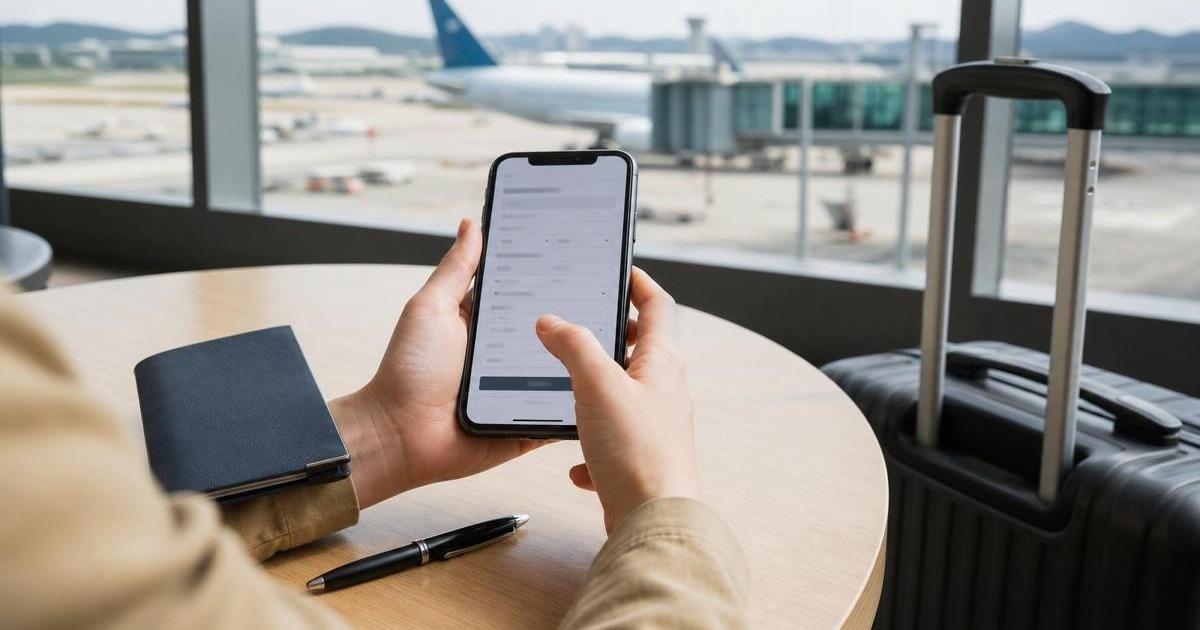
AI-assisted photo-based composite. Conceptual preparation illustration using an airport setting. It is not an e-Arrival Card screenshot, proof of approval, or a suggestion to wait until arrival to submit. Background: Incheon International Airport Interior.jpg by Kmonsoor / Wikimedia Commons, CC BY-SA 3.0. Cropped/reframed and edited with AI-generated character overlays; small background details may differ. Derivative illustration under CC BY-SA 3.0.
Common mistakes
Paying a fake website for a free form.
Submitting too early, before the allowed window.
Using a hotel nickname instead of a complete address.
Typing passport number or birth date incorrectly.
Not checking whether valid K-ETA changes the arrival card requirement.
Saving confirmation only in email, then having no data at the airport.
Better alternative if the form fails
If the portal does not accept an image or email verification, try a desktop browser, a different email, or manual entry where available. If you are already at the airport, ask your airline staff what document check they need for boarding, but do not expect airline staff to resolve a Korean government portal issue for you. If you have valid K-ETA, check whether the e-Arrival Card is necessary for your case. If you do not have valid K-ETA and the official check says the e-Arrival Card applies, solve it before you board.
Use the planning hub for the bigger decision
This page answers a specific travel problem. Use the related hub guide when you need the broader arrival, transport, Seoul, money, or app-planning context.


